To find where a movie is streaming, search the title plus the word "streaming" on Google and read the answer box, or search it in an app that checks every service at once, such as Limelight, JustWatch or Reelgood. Either route takes about ten seconds.
You heard about a movie, you want to watch it, and now you're opening Netflix, HBO Max, Prime Video, Hulu, Disney+, and Apple TV one by one looking for it. Thirty minutes later you've given up and put on an episode of a show you've already seen. This is the default experience of streaming in 2026, and it's a design problem none of those services are incentivized to fix.
The good news is that finding where a movie streams takes about ten seconds if you know where to look. The better news is that doing it right also solves the related problem of keeping track of all the titles you actually want to watch.
Here's how to do both, in order from "quick one-off search" to "stop ever having this problem again."
Why is finding a movie so hard in 2026?
The short answer is that every streaming service wants you to stay inside its own catalog. That's a reasonable business decision on their end, but it's the reason you can't ask Netflix "is this movie on Hulu" and get an answer. Netflix does not know and does not want to know.
The longer answer is that the streaming market fragmented, then fragmented again. A 2025 Nielsen study found that 51 percent of U.S. streamers say it's harder to find content than it was two years ago, and almost half have canceled a service specifically because they couldn't find anything to watch. Think about that. People are paying $15 a month for a product, opening it, and quitting because the product is too full.
The survey behind that number is worth reading in full: 51% of streamers say finding content has gotten harder.
The fragmentation creates a secondary problem: titles rotate. A movie that was on Netflix last month might be on Paramount+ now, with a rental window on Prime Video in between, which is a licensing consequence rather than a random one. None of the individual apps will tell you about that. They'll just act like the movie doesn't exist in their catalog, which technically is true.

What's the fastest free way to find a movie online?
Type the movie's title plus the word "streaming" into Google. That's it. Google's answer box will show you every service that has the movie available to stream, rent, or buy, with a link straight to each one. It pulls this data from JustWatch, which we'll come back to in a minute.
A few specifics that make this more reliable:
- Include the year if the title is common. "Dune streaming" is ambiguous. "Dune 2021 streaming" or "Dune 2024 streaming" gets you the right answer.
- Add "free" if you only want subscription streaming. Otherwise the answer box mixes in paid rentals and purchases, which isn't what most people mean when they ask the question.
- Use the answer box, not the first organic result. The answer box is updated more often than most of the blog posts that rank above it.
This works well for a single title. It falls apart as soon as you want to check ten titles, save any of them for later, or filter by the services you actually pay for. That's where the dedicated apps come in.
What are the best apps for checking streaming availability?
Three apps do this well in 2026, and they each optimize for something slightly different.
JustWatch is the purest streaming-availability search. It's free, it covers every major service, and it's the source of truth that most other tools (including Google's answer box) are pulling from under the hood. The interface is functional and ad-supported. If you want a no-frills "is this movie streaming anywhere" answer, JustWatch is excellent for that single job.
Reelgood is closer in spirit to a full discovery app. It layers a Watchlist and recommendations on top of the availability data, and it works well on the web. The mobile app has lagged behind the web version for a while, which matters because this is overwhelmingly a phone-in-hand problem.
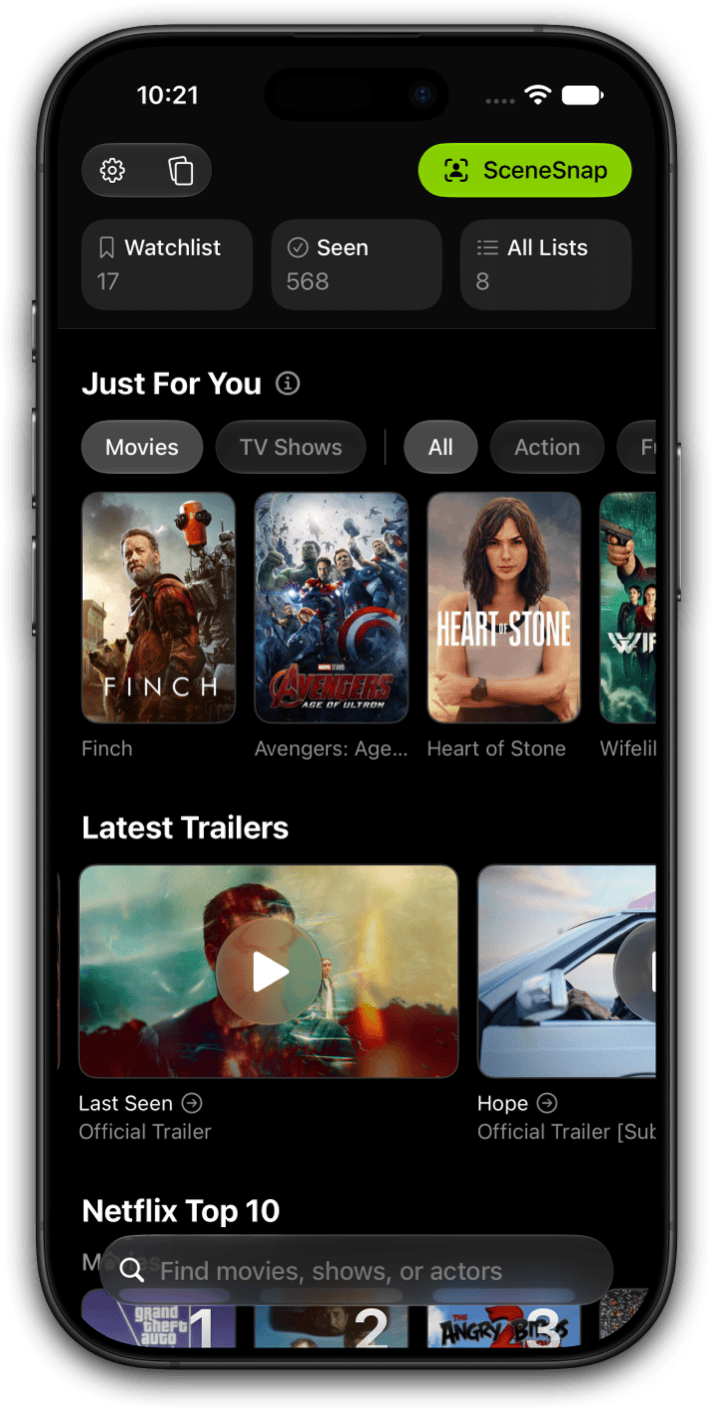
Limelight is the app I built, so take this with the appropriate pinch of salt. It checks every streaming service in a single search, shows ratings from Rotten Tomatoes, IMDb, Metacritic, and TMDB on the same screen, and uses a feature called QuickSort to filter your Watchlist down to only what's currently streaming on the services you pay for. That last part is the shift that solved my version of the problem. A Watchlist of 200 titles becomes a list of 10 you can start in the next ten minutes.
Streaming apps were never going to solve this problem. They make more money when you're confused.
All three cover movies and TV, all three have iPhone apps, and all three will answer the basic question. Pick the one whose interface you actually open when you're looking for something to watch. The best tool is the one you'll use at 9:47 on a Tuesday night.
Find where anything streams in one search
Limelight checks every streaming service at once, shows ratings from every source that matters, and keeps your Watchlist in one place no matter where titles move.

Where does streaming availability data come from?
This matters less than people think, but it's worth understanding because it explains why these tools sometimes disagree.
Most third-party tools, including Limelight, JustWatch, Reelgood, and Google's own answer box, pull from a small number of streaming metadata providers. JustWatch is the dominant one. The data updates daily in most tools, though titles occasionally shift between services faster than any index refreshes, so very recent changes can lag by 24 to 48 hours.
What this means in practice: if a tool says a movie is on Hulu and you open Hulu and it's not there, the most likely explanation is that Hulu dropped it in the last day or two. The tool isn't wrong in the usual sense, it's just working with yesterday's data. In my experience this happens maybe one time in a hundred searches, which is a rounding error compared to how often the alternative (checking every app manually) fails.

How do I keep track of what I want to watch across services?
This is the part most people don't realize is a separate problem until it's too late. You can solve "where is this movie streaming" with a Google search, but that doesn't solve "what were the four movies a friend recommended at dinner last month that I meant to watch." Those titles end up on Netflix's My List, HBO Max's Favorites, a notes app, and a half-remembered text thread, and most of them get lost.
The fix is to keep your Watchlist somewhere independent of any single streaming service. When you hear about a title, save it to the cross-service list. When it's time to watch something, open that list and filter down to what's actually available on the services you pay for right now. Every title stays on the list until you've either watched it or decided not to, regardless of which service it happens to live on this week.
Three practical notes on this, because the workflow is the part that matters:
- Add titles the moment you hear about them. Not tomorrow, not when you get home. Right then, on your phone, before the conversation moves on. The list only works if it's complete.
- Don't prune the list. You will not watch most of the things on it, and that's fine. A long Watchlist that you filter down is far more useful than a short one you spent time curating.
- Check the list before you open a streaming app. This is the habit that actually saves the time. Start from "what do I want to watch," not from "what is Netflix showing me."
What should I do the next time I can't find a movie?
A quick decision tree that matches what I actually do, in order.
One-off search, no app. Google "[movie title] [year] streaming" and read the answer box. You'll have the answer in five seconds.
You're already in your Watchlist app. Search for the title inside that app. Limelight, JustWatch, and Reelgood all check every service in a single search, so you don't need to leave the app to get the answer.
You keep having this problem. Install one of the dedicated apps and start saving titles to a Watchlist that works across every service. The first week feels like overkill. The second week you'll stop opening Netflix first. And when you have the services but not the title, the what to watch quiz picks one for you in about 30 seconds.
The real goal is to never have this problem again, which is what a watchlist system with real structure is for. Once your Watchlist lives somewhere that isn't tied to any one streaming service, the "where can I watch this" question mostly stops happening, because the list already tells you.
Stop opening six apps to find one movie
Limelight checks every streaming service in a single search, shows ratings from every source on one screen, and filters your Watchlist down to what's actually streaming tonight. No ads.
Frequently asked questions
The fastest free way is typing the movie's title plus the word "streaming" into Google. Its answer box will list the services that carry it right now, pulled from JustWatch data. For an app-based answer on your phone, Limelight, JustWatch, and Reelgood all surface the same information with a single search.
Streaming services never link out to competitors. If Netflix doesn't have a title, it either won't show up in search or it'll show up as unavailable with no further information. Every service is optimizing for you to stay inside its own catalog, which is exactly why a third-party search tool is the only way to see the full picture.
Most third-party tools, including Limelight, JustWatch, Reelgood, and Google's own answer box, source their data from a small number of streaming metadata providers, with JustWatch as the dominant one. The data updates daily in most tools, though titles can shift between services faster than any index refreshes, so very recent changes sometimes lag by 24 to 48 hours.
Yes. Limelight, JustWatch, and Reelgood all check every major streaming service in a single search. Limelight goes further by letting you filter your Watchlist down to only titles available on the services you already pay for, which turns a list of 200 movies into a list of 10 you can watch tonight.
Use an app that owns the Watchlist layer independently of any one service. Netflix's My List and HBO Max's Favorites only track titles on that specific service. A cross-service Watchlist in Limelight or Reelgood keeps your list in one place no matter where the movie eventually lands, so you stop losing titles when a subscription ends.