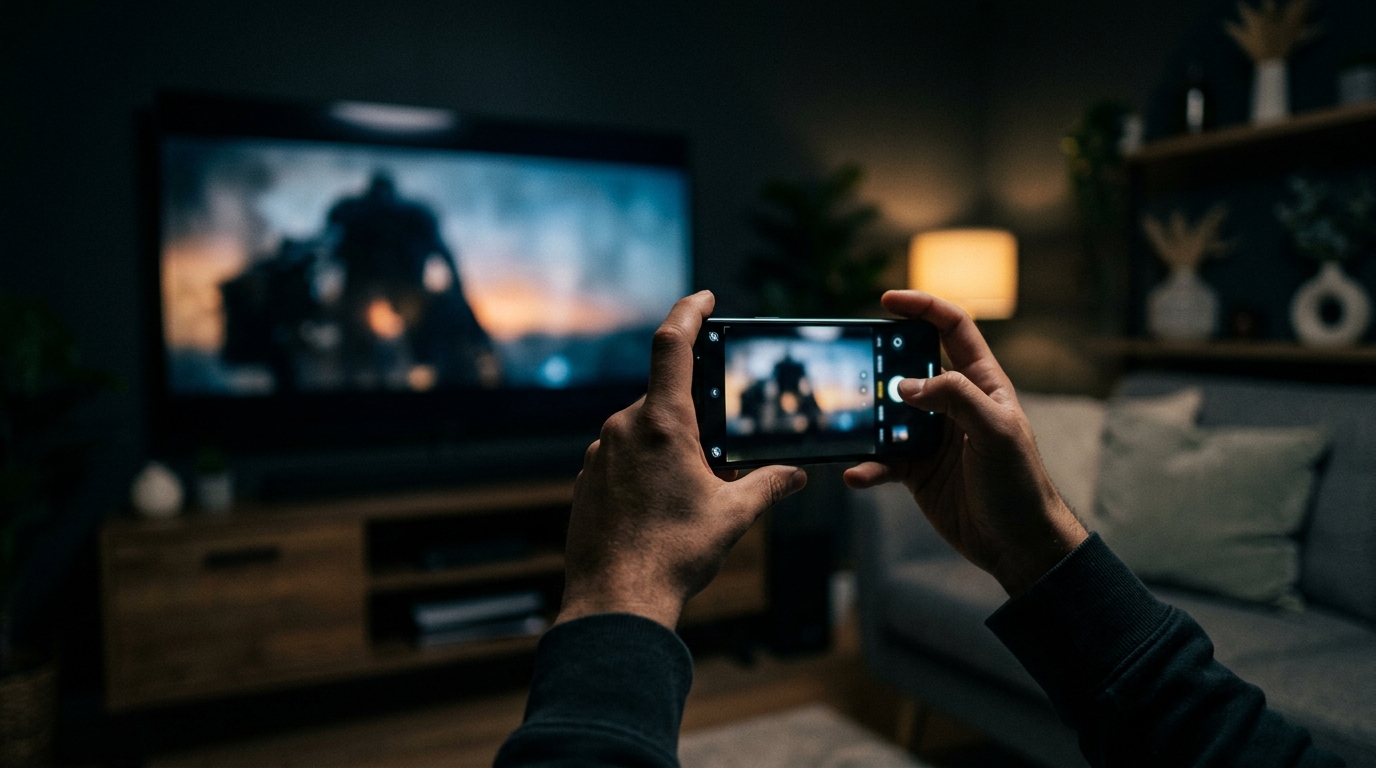
SceneSnap identifies a movie or TV show, and the actors in it, from a short video clip. You open the app, hand it a clip of a scene, saved from social media or screen-recorded from your TV, and within a few seconds you get back the film title, the year, the director, and a link to streaming availability. That's the product. The product is simple. Building it was not.
This is the full technical story of how I built it, including the decisions I made, the ones I'd make differently, and the parts that surprised me. It's written for developers who care about product thinking, not just the code. If you've ever wondered what it actually looks like to ship an AI feature as a solo founder, this is that story.
Where did the idea for SceneSnap come from?
I've been in this situation more times than I can count: I'm scrolling through Twitter or a design blog, and there's a clip from a film. The cinematography is extraordinary. The framing is doing something I haven't seen before. I need to know what this is. I save the clip, pull a frame out of it, try Google Lens, and get either a wrong result or nothing useful. I try reverse image search. Nothing. I spend twenty minutes on Reddit asking if anyone recognizes it, and either someone knows it immediately, or the question disappears into the timeline.
That gap is what SceneSnap is built to close. The identifying visual information is all there in the clip: the cinematography style, the set design, the costumes, the actor faces, the quality of light. A knowledgeable film person watching that clip could probably identify it in seconds. It is also the same problem covered in our guide to identifying a movie from a scene, approached from the engineering side. The problem was connecting that visual information to a structured knowledge base in a way that general image search couldn't do reliably. General image search is looking for copies of the same image. It's not reasoning about what the image depicts.
Google Lens worked occasionally on famous scenes from very well-known films. If you pointed it at the ear scene from Reservoir Dogs, it would probably identify the film. If you pointed it at a scene from a 1970s Italian giallo or a recent Taiwanese art film, you'd get nothing, or you'd get a wrong answer with high confidence. That failure mode was the product opportunity. The scenes that most needed identification were exactly the ones that existing tools handled worst.
I'd had this frustration for years. When I started building Limelight, I knew I wanted to solve it. The question was how to solve it in a way that was actually shippable for a solo developer with a finite timeline and a real production app to maintain alongside it.
Why I chose API-based AI instead of training a custom model
When I started thinking seriously about building this, there were two credible options. I'll describe them plainly, because I think the decision-making process here is more useful than just the conclusion.
Option A: fine-tune a custom vision model on a film frame dataset. The appeal is obvious. Full control over the model, no per-query cost at scale, potentially higher accuracy for the specific task, and no dependency on a third-party API's uptime or pricing decisions. The problems are equally obvious, at least in retrospect. Building a useful training dataset for this task is genuinely hard. You need a large volume of labeled film frames covering a wide range of cinematographic styles, aspect ratios, eras, and genres. You need infrastructure for training and hosting the model. You need to iterate on the model architecture, which takes time and compute. And when the model underperforms, which it will in early iterations, you need to debug it, which is a different skill set from building a product. The timeline for getting to something good enough to ship is measured in months, minimum, and probably longer.
Option B: use a frontier vision model via API. GPT-4 Vision and Gemini Vision both have extensive film knowledge embedded in their training data. These models have seen an enormous volume of visual media during training, and they've been exposed to critical writing, encyclopedic film databases, and visual material that gives them a surprisingly broad understanding of what films look like. I'm not building a classifier in the traditional sense. I'm leveraging a model that already knows what a Kubrick wide shot looks like, what the color grading of a Villeneuve film looks like, what the lighting grammar of 1970s American cinema looks like.
The API cost is ongoing and scales with usage, which is a real consideration. The accuracy isn't fully under my control, and any change the model provider makes to the underlying model can shift the behavior of my feature. Those are genuine tradeoffs and I don't want to pretend they aren't. But for a solo developer who needed to ship a working feature rather than a training experiment, option B was the only realistic choice. The development timeline dropped from months to weeks. I made the call and I stand behind it.
The secondary consideration that pushed me toward this approach: the best custom model I could have trained in a reasonable timeline would very likely underperform a frontier vision model on the coverage that matters most, which is the long tail of films that users are actually trying to identify. Frontier models have broad knowledge. A custom classifier trained on whatever dataset I could assemble would have the biases of that dataset.
How the SceneSnap pipeline actually works
The user-facing version of the same flow is described in how to find where any movie is streaming, since identification and availability are the same lookup from a different angle. Walking through the full architecture isn't the goal here, but the high-level pipeline is worth explaining because the design decisions at each stage have a real effect on the user experience.
When a user hands SceneSnap a clip, the first thing that happens is on-device preprocessing. Frames are sampled from the video, then compressed and resized before anything leaves the phone. This step is more important than it sounds. Sending full-resolution video from a modern phone to an AI API is expensive, slow, and unnecessary. The visual information that matters for film identification, the composition, the color grading, the faces, the set design, is preserved at a fraction of the original file size. Getting this compression pipeline right took more time than I expected, because aggressive compression introduces artifacts that actually degrade model accuracy. There's a point where making the file smaller hurts the result.
After preprocessing, the compressed frames are sent to the AI backend along with a structured prompt. The prompt is doing a lot of work here, and I'll come back to that in the next section because it deserves more space than a pipeline walkthrough allows.
The AI call returns a structured response: film title, year, director, and a confidence level expressed as high, medium, or low. Immediately after the frames are sent, a second lookup fires against the movie database to pull additional metadata: full cast, streaming availability across platforms, ratings, and related titles. The key architectural decision here is that the AI call and the database lookup happen in parallel. The database lookup is keyed off the film title from the AI response, which means it has to wait for the AI response to start. But the latency of the total flow is determined by whichever takes longer, not the sum of both. In practice, the AI call almost always finishes first, and the metadata appears almost immediately afterward.
The result is displayed in the app with the confidence level surfaced visually. A high-confidence result gets a clean presentation. A low-confidence result gets a visual indicator that sets the right expectation. The confidence signal is doing real UX work, not just displaying a number from the model.
Why prompt engineering was harder than the AI itself
The vision model was capable from the first day I had API access. The hard work was getting it to behave consistently across wildly varying input quality, and that work happened entirely in the prompt.
The core requirement for SceneSnap is structured output. I need the model to return a specific set of fields, in a specific format, every time, regardless of what the clip contains or how confident the model is. The first versions of the prompt were underspecified on this point, and the model would sometimes return a paragraph of reasoning, sometimes a list, sometimes a simple sentence. All of those outputs were useless to the parser that was expecting structured data. The solution was to be extremely explicit about the output format, including what to return when the model couldn't identify the film rather than letting it improvise a response.
The failure modes I ran into were specific and consistent. Glare on a TV screen is probably the single biggest source of degraded accuracy, because the glare obscures exactly the visual information the model is trying to reason about. Motion blur from a phone held at an angle to a screen creates a similar problem. These cases are hard to avoid on the input side, because users are recording real-world screens in real-world conditions. The response on the model side was a combination of better confidence calibration in the prompt and clearer instructions about when to return a low-confidence signal rather than a wrong answer with false confidence.
Clips cropped so tightly that only a face or an isolated object is visible were a different problem. The model would often identify the actor correctly but couldn't place the film, because so much of a film's visual identity lives in its framing, color, and environment rather than in individual faces. The prompt needed to account for this case explicitly: if the clip lacks sufficient environmental or compositional context, say so, rather than guessing from a face alone.
Foreign films with limited English-language distribution exposed another gap. The model's knowledge of world cinema is strong but uneven, and films with small international distribution have weaker coverage. The prompt handles this case by asking the model to say when it isn't sure. A low-confidence answer starts with "This appears to be" or comes back as unknown. It won't make a confident wrong guess.
The prompt structure that ended up working is explicit about field definitions, output format, confidence criteria, and fallback behavior. It treats the model less like a search engine and more like a structured reasoner: here is what I need, here is how I want it returned, here is what to do when you can't provide it reliably. The number of iterations between the first working prompt and the shipped version was significantly higher than I expected going in.
Accuracy benchmarks and what the numbers actually mean
I want to be precise about this, because accuracy claims for AI features are often presented in ways that obscure the actual distribution of results.
On well-lit, unobstructed scenes from major studio films, SceneSnap is accurate in the 85 to 90 percent range. On famous scenes from landmark films, accuracy is at the high end of that range or above it. On foreign-language films with significant international distribution, performance is good and has improved as frontier model capabilities have expanded. These are the cases that represent the majority of what users actually send in.
Accuracy is genuinely lower in specific conditions. Dark clips, motion-blurred clips, and clips with significant screen glare all degrade performance, sometimes significantly. Very tight crops with no environmental or compositional context are hard for the model to work with. Scenes from ultra-low-budget or extremely limited-release films, the kind of film that was shot for almost nothing and had essentially no press coverage, have less training data coverage in the underlying model, and that shows in the results.
The fair framing is this: SceneSnap works most of the time on the kinds of scenes people actually record. The failure cases are real, but they're skewed toward the edge conditions rather than the common ones. The confidence signal in the UI exists specifically to manage expectations when accuracy is likely to be lower. A low-confidence result is not a system failure. It's the system telling you something true about the input it received.
I track accuracy continuously and the numbers have improved as model capabilities have improved on the provider side, without any changes on mine. That's one of the advantages of the API-based approach: improvements in the underlying model flow through to SceneSnap without any engineering work on my end.
What surprised me during development
A few things weren't obvious in advance and are worth naming directly.
The variance in phone camera quality is larger than I expected, and it matters more than I expected. A clip recorded on a current flagship phone in good light and a clip recorded on an older mid-range phone held at an angle to a bright screen are not the same input, and the model doesn't treat them the same way. I had to test across a much wider range of device and lighting conditions than I initially planned for, and the preprocessing pipeline went through several iterations as a result.
The gap between "technically works" and "feels good in the app" was larger than the gap between "doesn't work" and "technically works." The first shipped version was accurate enough, but it felt slow and unresponsive. The identification was happening in the background while the user was looking at a spinner, and the experience of waiting for a result undermined the sense that something fast and smart was happening. The UX work on the results screen, on the loading state, on the confidence presentation, took roughly as long as the technical build. I didn't anticipate that ratio going in.
User behavior was consistently surprising. I built SceneSnap expecting users to screen-record what was playing on their own TV. Plenty of clips arrive from somewhere else instead, saved off social media and re-encoded, cropped, or compressed on the way. The pipeline had to handle that kind of input as well as it handles a clean recording, which is a different engineering problem from the one I set out to solve. That use case emerged from actual user behavior rather than anything I designed for.
The on-device preprocessing pipeline saves more API cost than I initially estimated. Getting the compression right, meaning aggressive enough to reduce cost but not so aggressive that it degrades accuracy, required more careful calibration than I expected. The result is a meaningful reduction in per-query cost that compounds significantly at scale.
There's a specific satisfaction to shipping a feature as a solo developer, watching someone use it for the first time, and seeing it actually work. Not work in a demo. Work on a real scene, on a real phone, for a real person who wanted to know what they were looking at.
The feedback that has stayed with me most came early in the beta. A user sent in a clip of a scene they'd been trying to identify for years from a film they'd caught as a child on late-night television and never been able to track down. SceneSnap returned the correct title in about two seconds. That's the use case I built it for. Watching it work for someone else was better than building it.
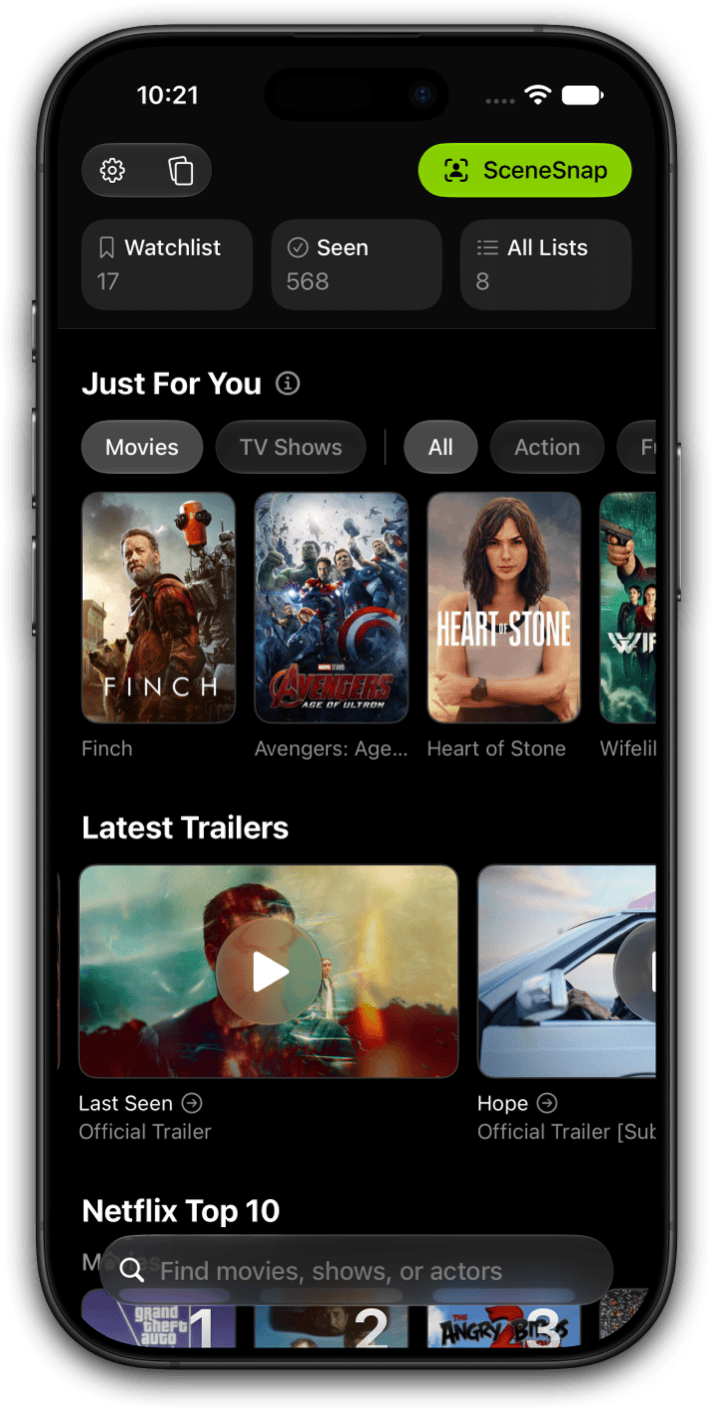
See SceneSnap in action
SceneSnap is part of Limelight+ on iPhone and iPad. Hand it a short clip of any film scene and get the title, the actors, and where it's streaming in seconds.

The same pipeline is what answers the who is that actor question, since naming the title first is what makes the cast list available. If I were starting this build over, I'd spend more time on the preprocessing pipeline earlier and more time on the confidence UX earlier. Both of those investments paid off significantly and both came later in the build than they should have. The core AI integration was the easiest part. The product work around it was where the real time went.
For developers thinking about adding a vision AI feature to their own product: the frontier models are genuinely capable. The barrier isn't the AI anymore. The barrier is prompt design, output structure, and the UX work of making a probabilistic system feel reliable to users who have no intuition for what "probabilistic" means in practice. That's the actual hard problem. It's a product problem, not a model problem, and it's more interesting for that.
Try SceneSnap in Limelight
Share a short clip of any film scene. Limelight does the rest. Part of Limelight+ on iPhone and iPad.
Frequently asked questions
SceneSnap sends a short, compressed clip to Google's Gemini, a multimodal model that can read video directly. The model returns the title, its confidence, and the actors it recognizes, and Limelight matches the result to the title's page so you can see where it's streaming.
On well-lit, unobstructed scenes from major studio films, accuracy is in the 85 to 90 percent range. Famous scenes from landmark films perform at the high end of that range. Foreign-language films with international distribution perform well and are improving. Accuracy drops on dark or motion-blurred clips, very tight crops with no environmental context, and scenes from ultra-low-budget or extremely limited-release films. The confidence indicator in the UI signals when the video quality is likely to affect accuracy.
No. The clip is sampled and compressed on your device before anything is sent to the AI backend for identification, and nothing is stored in Limelight's systems after the identification call completes. The sampled frames are transmitted to the AI model provider (OpenAI or Google) as part of the API call, subject to their data handling policies.
The most common failure causes are video quality issues (glare, motion blur, or very low resolution), crops that are so tight that there is no framing or environmental context for the model to work with, and scenes from films with extremely limited distribution where the model has less training data coverage. The confidence indicator in the UI reflects these cases: a low-confidence result means the model detected that the input quality was insufficient for reliable identification, not that the model is broken.
SceneSnap is designed primarily for film identification, but it handles TV show scenes reasonably well for major productions, particularly prestige series with wide distribution. Identification accuracy for TV is lower than for film, partly because individual episode scenes have less training data coverage than major theatrical releases. Identifying the specific episode from a scene is not a current capability.