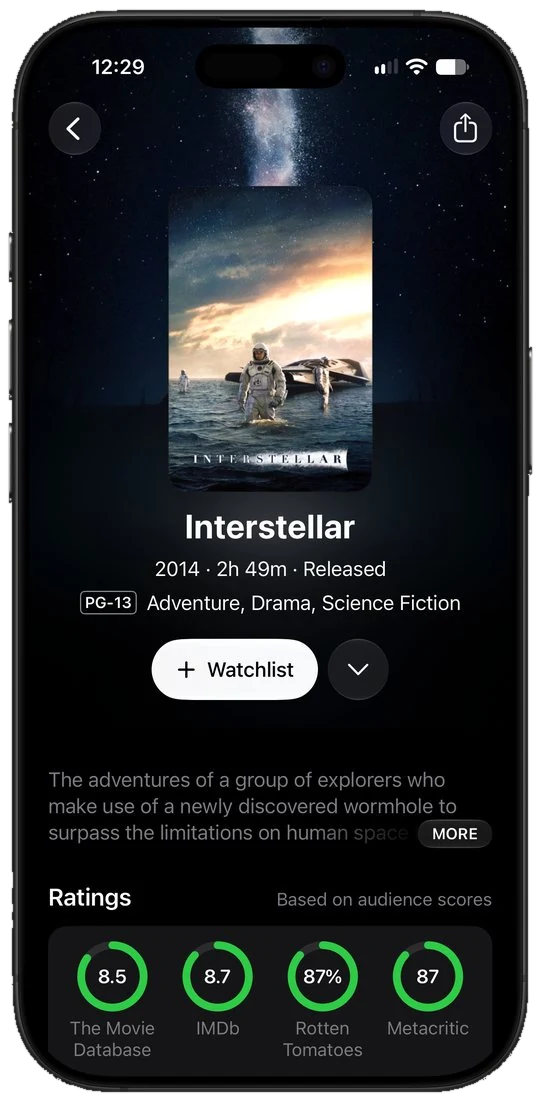
Where to stream
Where every film and show streams in your country
Every title page shows which of your services carry it, with rent and buy options underneath. Pick your country once and availability follows you across the whole app.
Limelight for iPhone
Search any title, see where it streams, save it, rate it, and track everything you watch. Free, privacy focused with no ads.

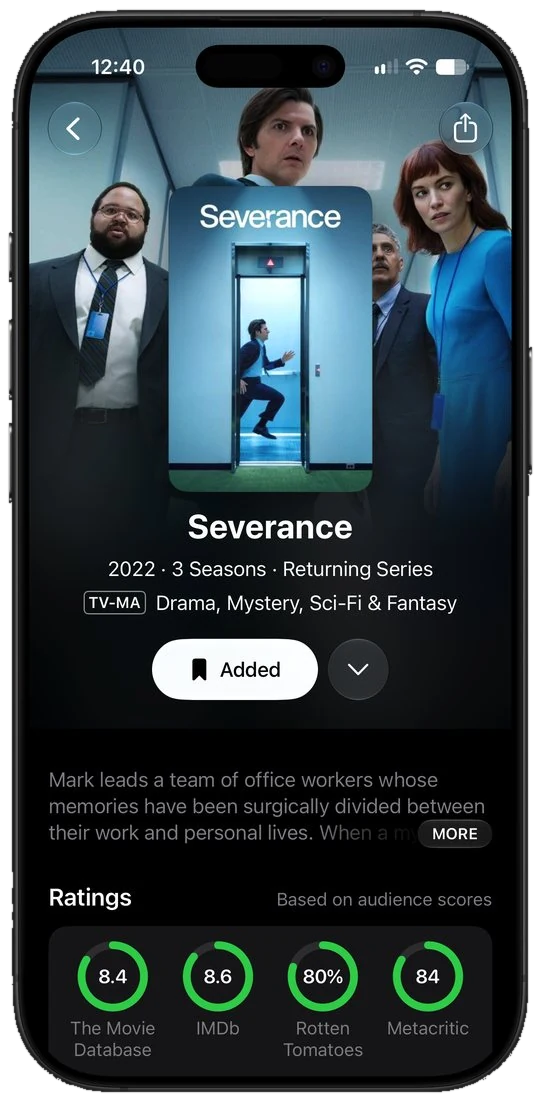
Where to stream
Every title page shows which of your services carry it, with rent and buy options underneath. Pick your country once and availability follows you across the whole app.
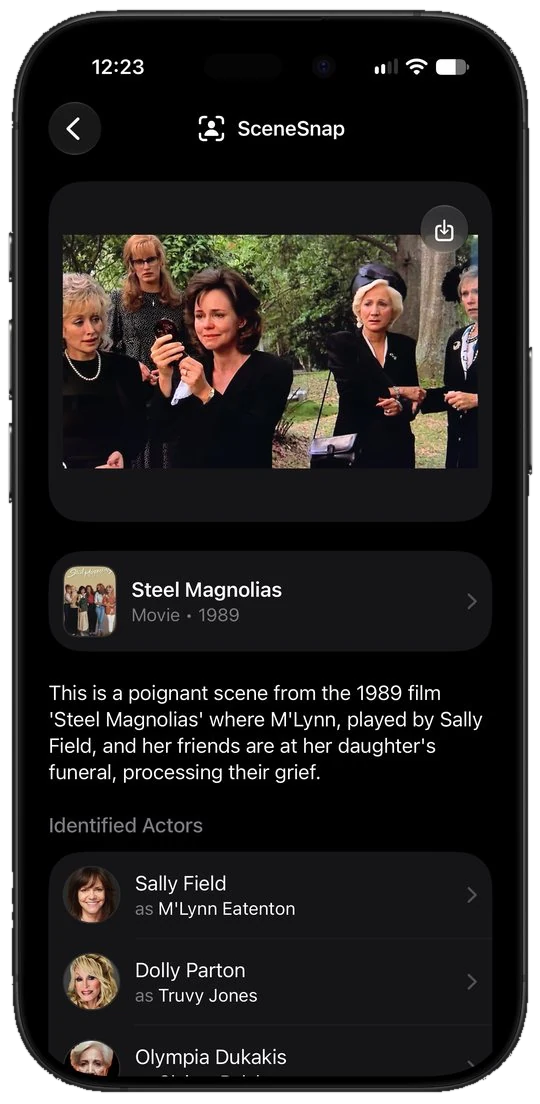
SceneSnap
See a clip and cannot place it? Upload a short video and SceneSnap names the movie or show and who is on screen, then opens the title so you can save it. Part of Limelight+.
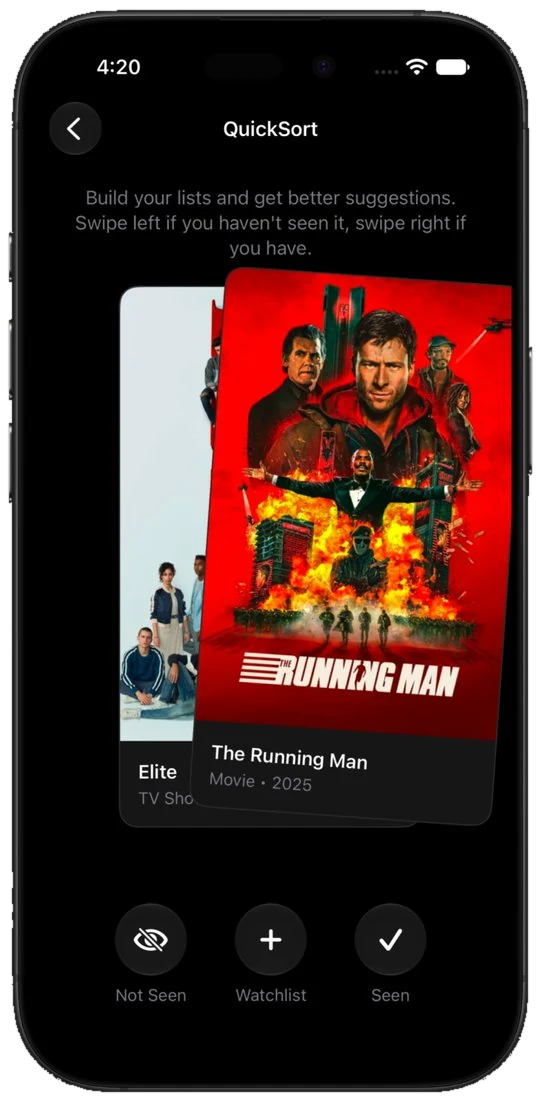
QuickSort
Swipe right for what you have seen, left for what you have not, and undo when you change your mind. Every swipe sharpens what Just For You puts in front of you. Part of Limelight+.
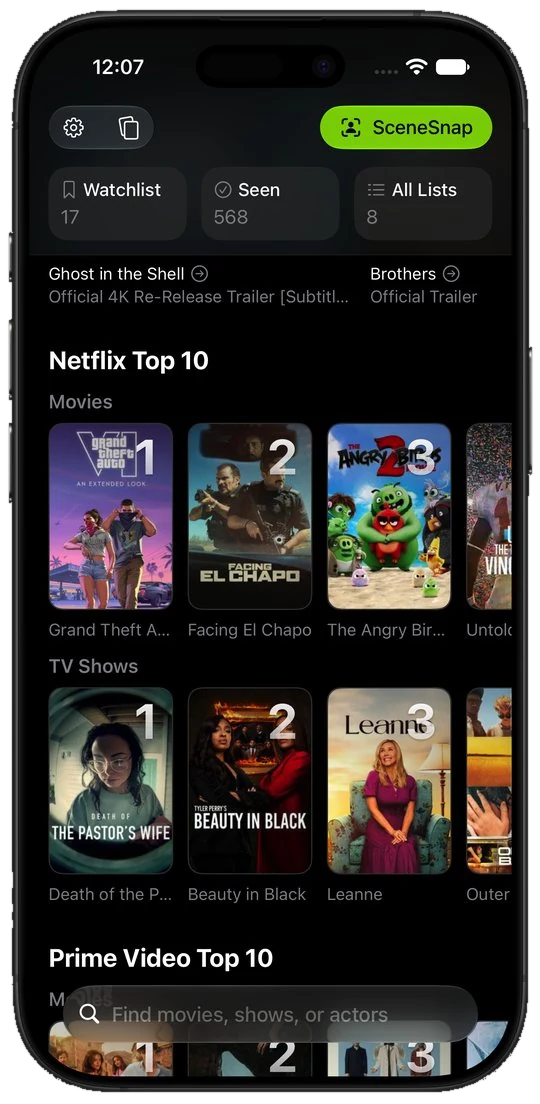
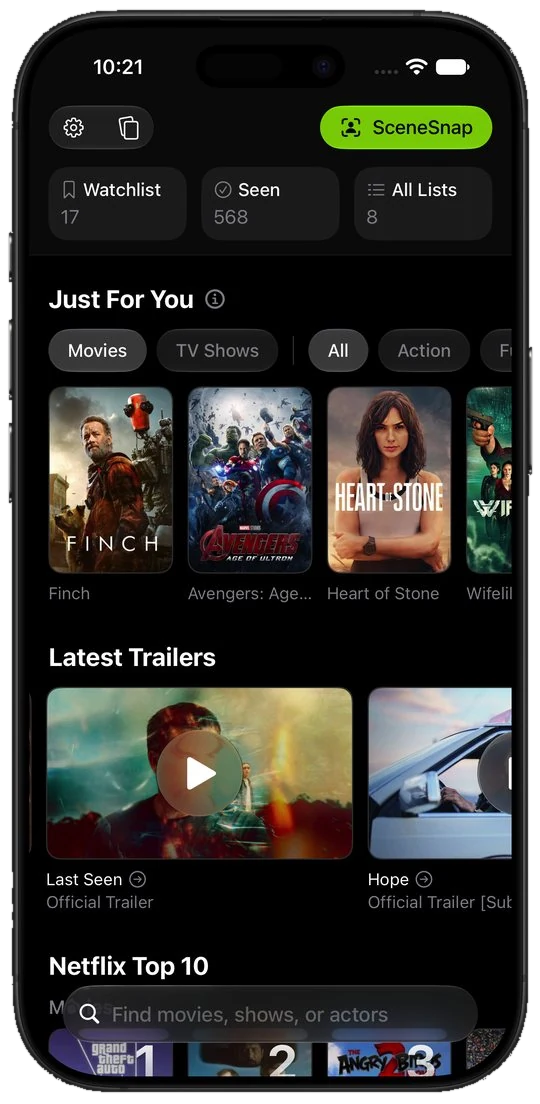
Discover
Home puts your Just For You picks, the latest trailers, and the Netflix, Prime Video, and Apple TV Top 10 charts for your country on one screen, so deciding takes a minute. Top 10s are part of Limelight+.
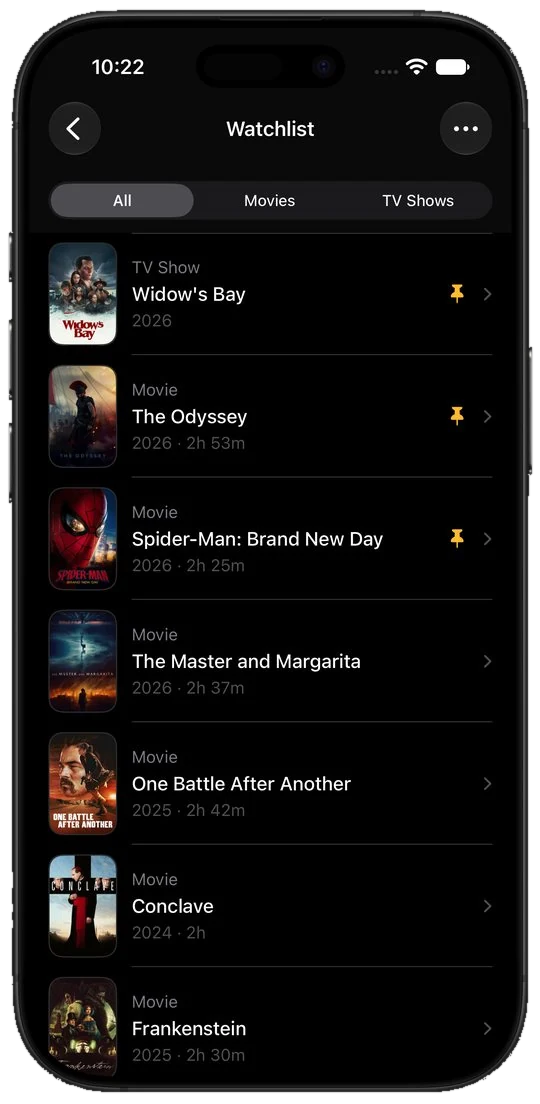
Watchlist
Save anything you come across, mark what you have seen, and rate it. Your watchlist, seen list, and custom lists sync to iPad and Mac, so the list reads the same wherever you open it.
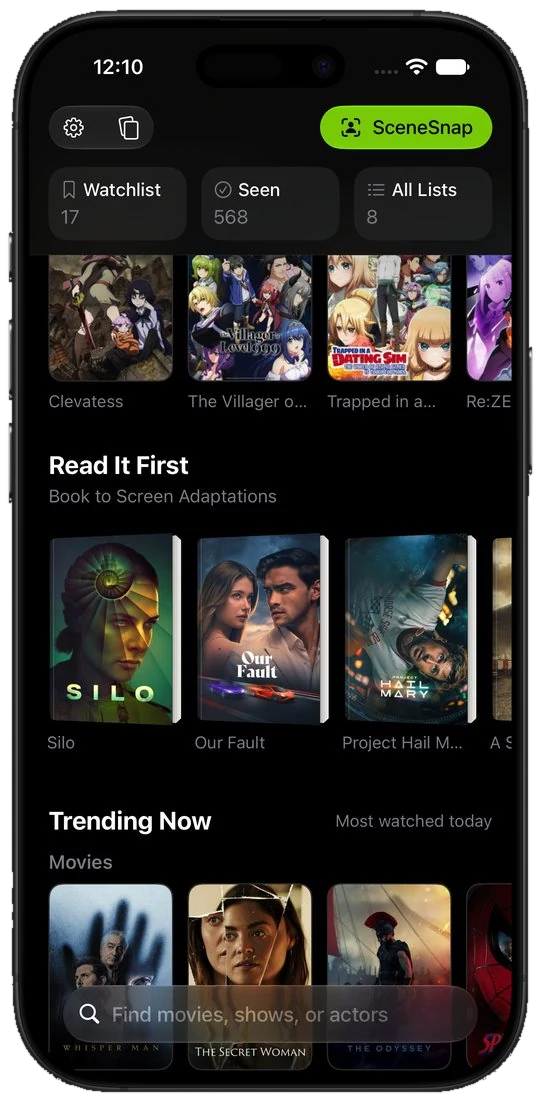
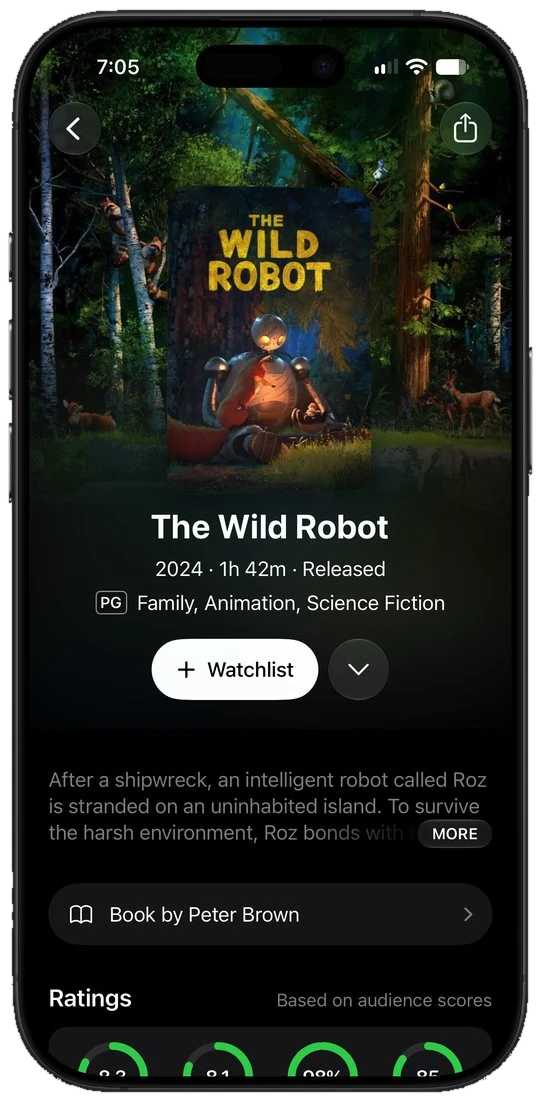
Read It First
Home carries a row of adaptations worth reading before you watch, and any title page links straight to the novel behind it when there is one, so you can start with the book.
Your watchlist, what to watch next, and what's trending on your home screen, in three sizes.
Ask Siri to open your watchlist or start QuickSort. Every title in your library shows up in iPhone search.
Get notified when a movie opens in theaters, a new episode airs, or something lands on a service you pay for. Part of Limelight+.
Long-press the app icon to jump straight into search, your watchlist, or QuickSort.
Dark by default, light when you want it, following your system setting.
Your library follows you to iPad and Mac, so nothing lives on one device.
Yes. The download is free. Search, streaming availability, the TMDB score, your Watchlist, Seen List, Rated List, trailers, cast and crew, recommendations, and book adaptations are all free. So are sharing and sync. No ads, privacy focused. Limelight+ adds release notifications, SceneSnap, QuickSort, streaming Top 10s, and ratings from Rotten Tomatoes, IMDb, and Metacritic. It also adds custom lists, pinned items, the option to hide titles, and alternate app icons. Limelight+ is $4.99 a month, or $24.99 a year with a 7-day free trial.
Limelight requires iOS 26 or later, so it runs on any iPhone that can install iOS 26. It is built natively for iOS, not a wrapped website, so it looks and feels like the rest of your phone.
Yes. Widgets show your watchlist, what to watch next, and what's trending, in small, medium, and large sizes. There are also home screen quick actions for search, your watchlist, and QuickSort.
Yes, with Limelight+. Track a title and Limelight sends a notification when a movie opens in theaters, when a new episode airs, or when something arrives on a streaming service you pay for. Press and hold any tracked title to mute it.
Yes. Siri can open your watchlist, show what's trending, start QuickSort, or jump into SceneSnap, and your library is indexed in Spotlight so any title opens straight from iPhone search.
Yes. Your Watchlist, Seen List, Rated List, and custom lists are stored in your free account from The Movie Database (TMDB), so the same library appears on iPad and Mac the moment you sign in there.
JustWatch is built around streaming search and Letterboxd around film diaries and reviews. Limelight combines search, streaming availability for your country, tracking, ratings, notifications, and recommendations in one ad-free app, and adds SceneSnap and QuickSort, which neither has.
Free on the App Store, privacy focused with no ads. Your library syncs to iPad and Mac.
